If you have read this blog before then you will know that I love bringing the target language culture into the classroom. This can be done through displays and I’ve seen some great stuff on Facebook, Pinterest, X, Blue Sky etc over the years but not being as artistically inclined as some teachers out there, I needed a different way.
Here is one really quick way to get students interested about the places and culture of the country they are studying. Use your own photos from your travels as a rotating desktop background on your classroom laptop.
Disclaimer: I’m not currently allowed to do this as my academy trust has branded backgrounds on all laptops and we cannot change them, alas. If your academy trust is the same then perhaps have a look at other posts?
This method assumes 2 things:
- You have travelled to these places
- You have taken lots of photos
If you are allowed, take full advantage!
The advice below is for Windows computers. Apple may have similar and I would welcome someone confirming that with a comment.
Step 1: Have a folder on your school laptop of photos of places where the target language is spoken that you have taken.
I’ll use Spanish as an example here. The photos need to be yours as you’re not breaking any copyright laws and it’s easier to talk about your own memories.
My experience was that places were enough. I would avoid anything including people (that includes you), food, or activities. Motivational quotes similarly could distract from the learning that is going on. A quick question about a place is fine and then focus can be redirected to the task at hand.
Photos must be landscape.

Iguazu Falls – Argentina side

Plaza de Espana -Sevilla (when a kid asks, it was in Star Wars Episode 1).

Picos de Europa
You get the idea. If you have taken the photos then you own the rights to them and you are not breaking any laws.
Step 2: With nothing open right click on your laptop screen and select personalize.
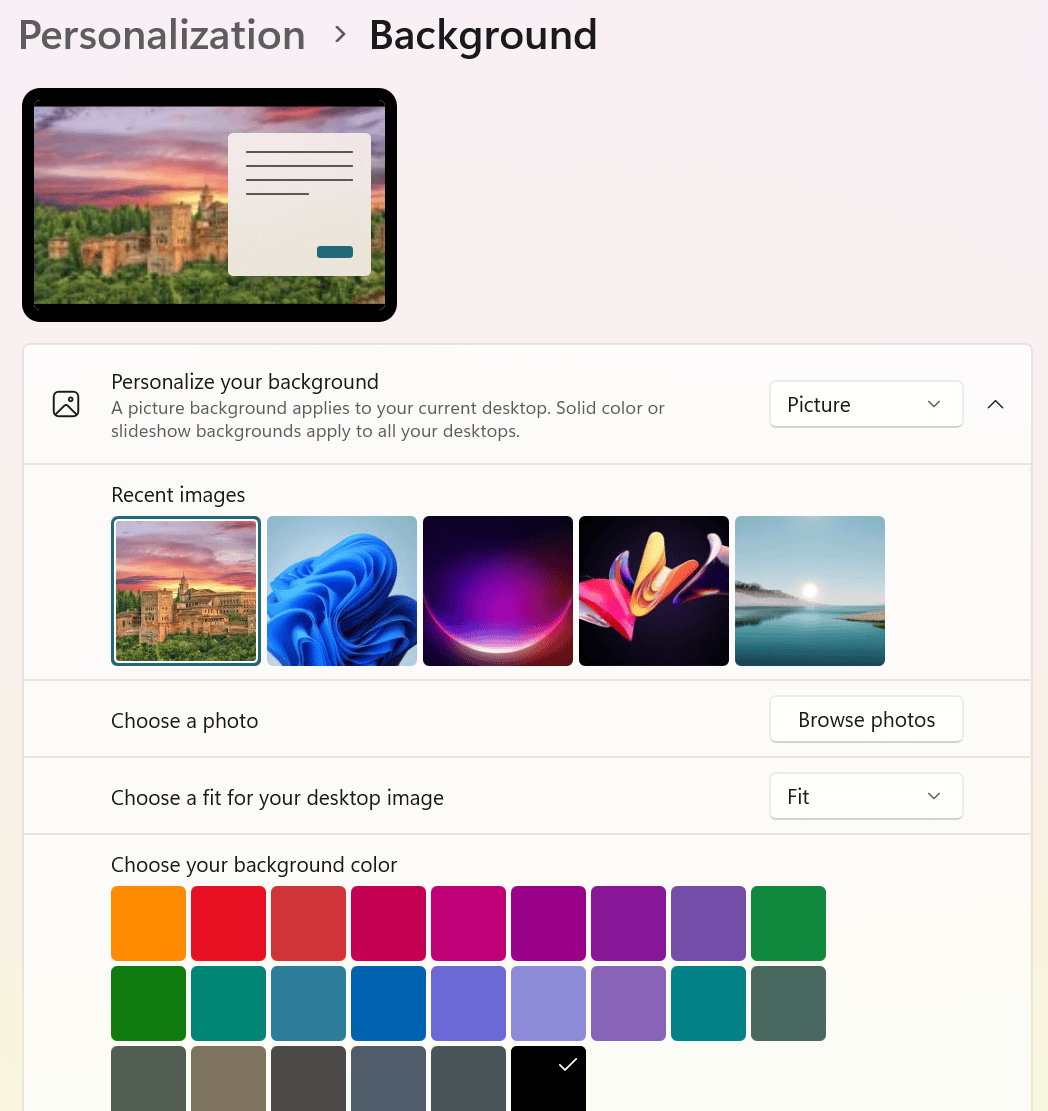
Step 3: Change “picture” to “slideshow“
The following options will appear
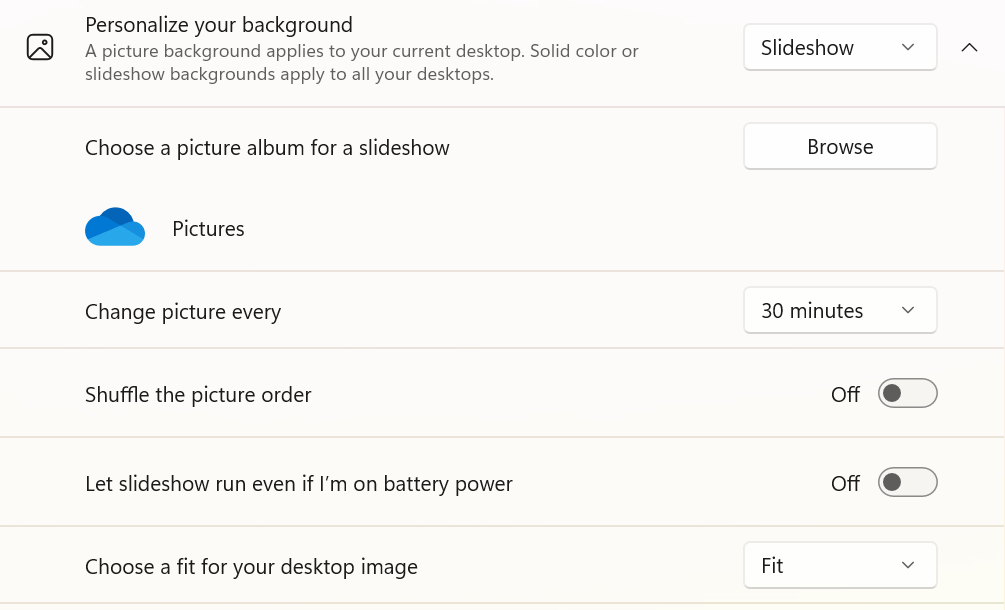
The crucial part is “browse”. Select the folder where all those photos are.
Changing a picture at 30-40 mins worked for me. Too often and it gets distracting. You ideally want it to happen no more than once a lesson.
As for “choose a fit”, “fit” is the best one as your photos will likely be re-sized to fit the screen. Landscape photos means that this isn’t a problem.
Everything else is personal preference or battery life related, you will know how reliable your school laptop is!
I had this in my previous school for about 3-4 years. I did not always have PowerPoint slides up so students ended up occasionally looking at the background. They would ask questions and say things such as “Where is that?” “Do they speak Spanish / German / French there?” “I want to visit that place”. “Wow! Sir where the **** is that?” (yep you may have to deal with a few of those). “Are we going there on our Barcelona trip?”
The process above is a 5 minute investment. Choosing photos however….I’ll leave that up to you.
All the best for the new term!


Leave a Reply